Recommended
A user-friendly product with a low cost.
Introduction
Many TVs these days come with apps and streaming services. If, however, your TV does not have these capabilities, it is easy to add with a plug-in streaming device such.
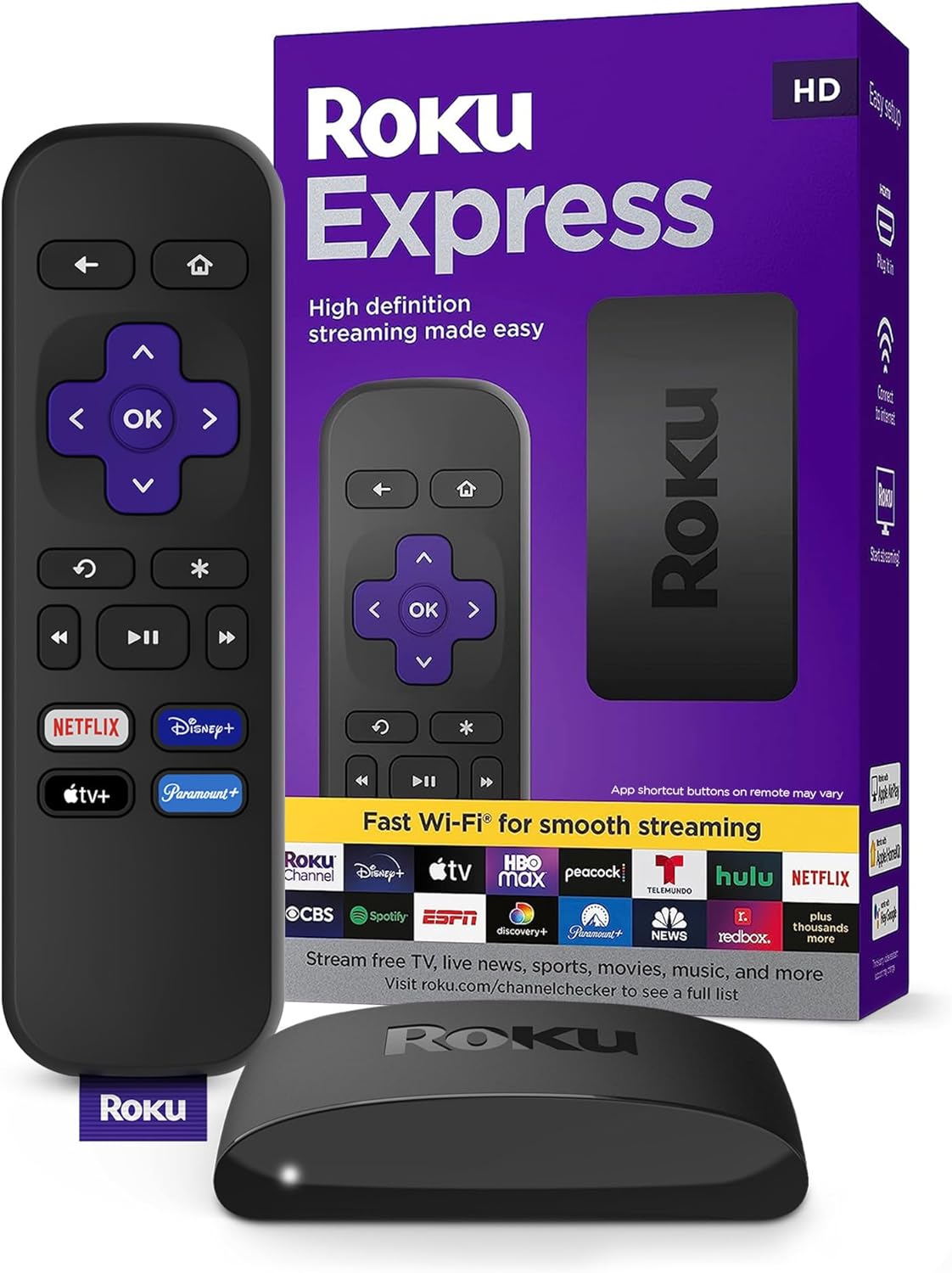
I had an old TV that was using an old Fire TV Stick, but it was struggling to load and crashed frequently, so I decided to replace it with a Roku Express. I am happy to say the new streaming device has been working beautifully. There is a 4K model available, but I do not (yet) have a 4K TV :D.
The Good Stuff
Easy to Install
Everything you need comes in the box:
- Streaming Device
- HDMI Cable
- Power Cable
- Remote + batteries
For me it was easy as plug-it-in and go.
Easy to Configure
When it first starts, the Roku will take you through a configuration process. You will need to create or log in to your Roku account. It will ask you about the services you use and automatically install those apps. I have another Roku device, and it automatically used some of the configurations from the other device, which was a nice touch.
Easy to Use
The UI is streamlined and intuitive. The icons are large, and the text is easy to read. It is overall visually appealing while maintaining functionality.
All the Popular Streaming Services
Roku has all of the big-name streaming services like Netflix, Disney+, Hulu, and Apple TV. It also has apps for self-hosted streaming services like Plex and Jellyfin. Don’t miss out on the free IPTV where you will surely find a channel that suits your fancy.
Shortcomings
Limited App Selection
Roku does not have as many apps as some other streaming devices. The focus is on streaming videos. Outside of that category the app selection is pretty limited.
How I Use It
In addition to the obvious popular streaming service, I use the Roku device primarily for connecting to my local Plex library where I have thousands of movies and TV episodes (I purchased all of them. No piracy!!!). I also enjoy watching the public and TV channels sometimes, including:
- Comedies
- The Red Green Show
- Just For Laughs – Gags
- Fail Army
- Game Shows
- Family Feud
- Deal or No Deal
- Idiot Test
- Fear Factor
- Cooking Shows
- Too many to list
- Classics
- MASH
- Home Improvement
- Star Trek
- And many more…
There are smart home hubs that have integrations with Roku. Home Assistant has a native integration, and Hubitat Elevation has a community create app. However, I have not really found a use for these integrations. I have never wanted to run an automation based on my TV status, nor needed control the TV when I’m not around.
Leave a Reply